> For the complete documentation index, see [llms.txt](https://docs.geodnet.com/llms.txt). Markdown versions of documentation pages are available by appending `.md` to page URLs; this page is available as [Markdown](https://docs.geodnet.com/geod-token/add-geod-token-to-your-solana-wallet.md).
# Add GEOD Token To Your Solana Wallet
GEOD token mining now supports the Solana network. Please follow the [guide](/geodnet-console-platform-basics/add-a-wallet-address-and-phone-number.md) to add a Solana wallet to the GEODNET Console platform.\
\
To use your Solana wallet for GEOD mining, you must first add the GEOD token as a custom token to your wallet. If you have accidentally removed the GEOD token from your Solana wallet, you can also follow the guide below to add it again.
***Note: This guide also applies to GEO-PUSE Solana wallets.***\
\
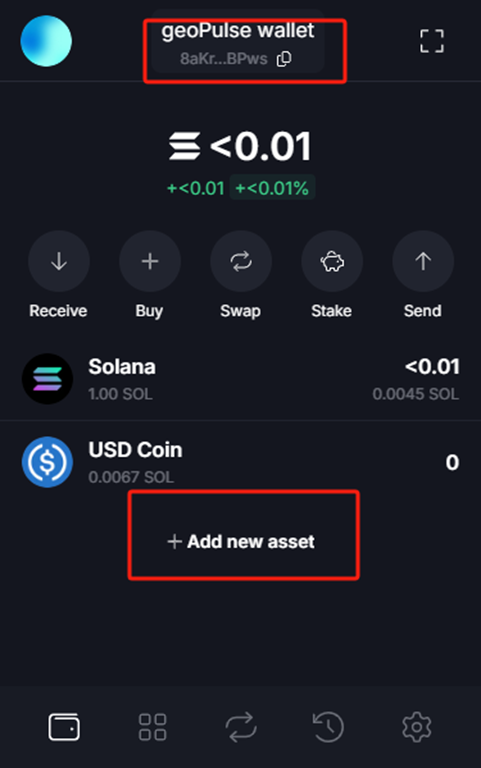
**Step 1:**\
Open the Solflare app and tap the "Add new asset" button on the main screen.
**Step 2:**\
Copy the GEOD token address below into the input field and tap the "Add" button:\
7JA5eZdCzztSfQbJvS8aVVxMFfd81Rs9VvwnocV1mKHu
\
**Step 3:**\
Tap the "Confirm" button.
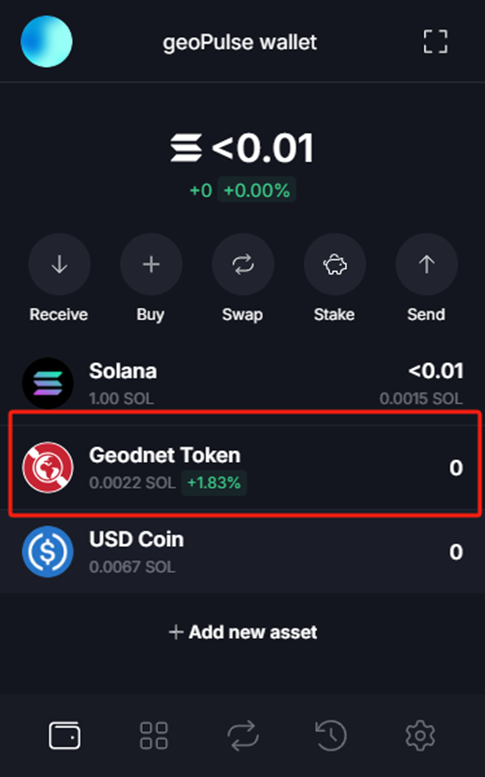
**Step 4:**\
You will see the “Geodnet Token” in the list.